Review your trades with records, not feelings.
Tiltnote is a trading journal. On each trade you log whether you followed your rules and how you felt, so your own habits show up in numbers. It never gives trading advice.
Does this sound familiar?
The rules you know best are the ones that break first under emotion.
- You can't cut a loss and keep watching it grow
- You jump back in right after a loss to win it back
- Looking back, your entry reason was just a hunch
- After a winning streak, you size up
Add one quick note at each close, and you can see when you break down — in data, not by feel.
Get started
You can start without signing up.
- OpenOpen the app (or the web version) and choose "Try without signing up". You can add an email later in Settings → Account and keep your data. If you never add one and then delete the app or clear your browser data, your records cannot be restored.
- RecordTap "Record" at the bottom right. Choose "Closed" for a trade you have finished, or "Open" for a position you still hold. If you use MT4/MT5 on a computer, the paid plan can also record trades automatically (sync).
- Add a noteAt each close, pick "Did you follow your rules?" and "This trade was…". It takes seconds.
- ReviewAt the end of the week or month, open Analysis and check your habits and weak spots.
How the screens work
The screens below show sample data.
Review card
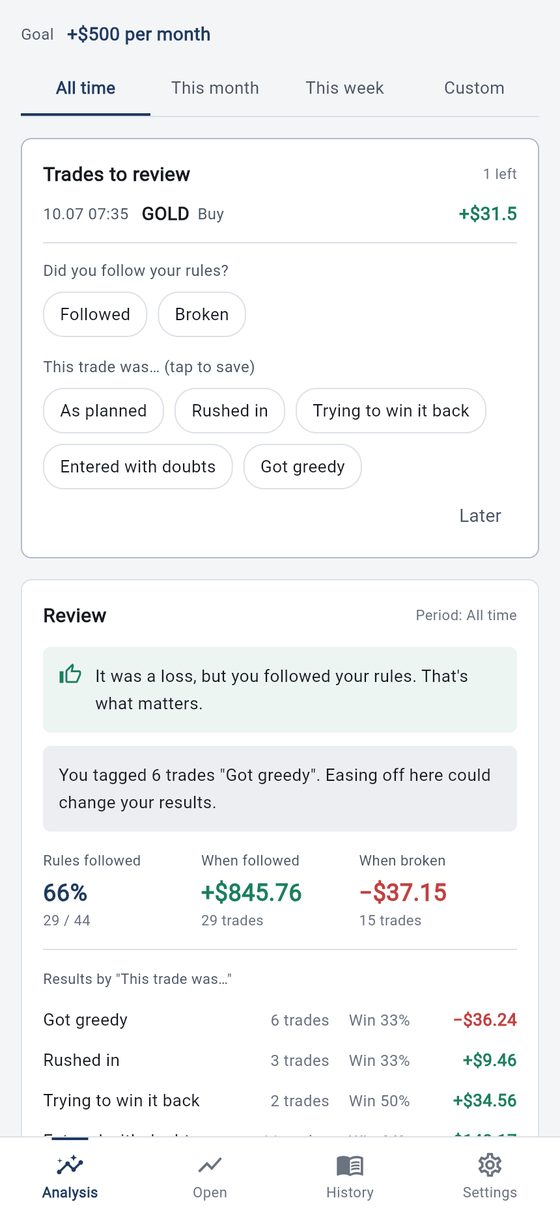
The latest trade you have not reviewed appears at the top of Analysis.
Just pick "Did you follow your rules?" and "This trade was…" and it is saved. Press "Later" to do it afterwards.
Review
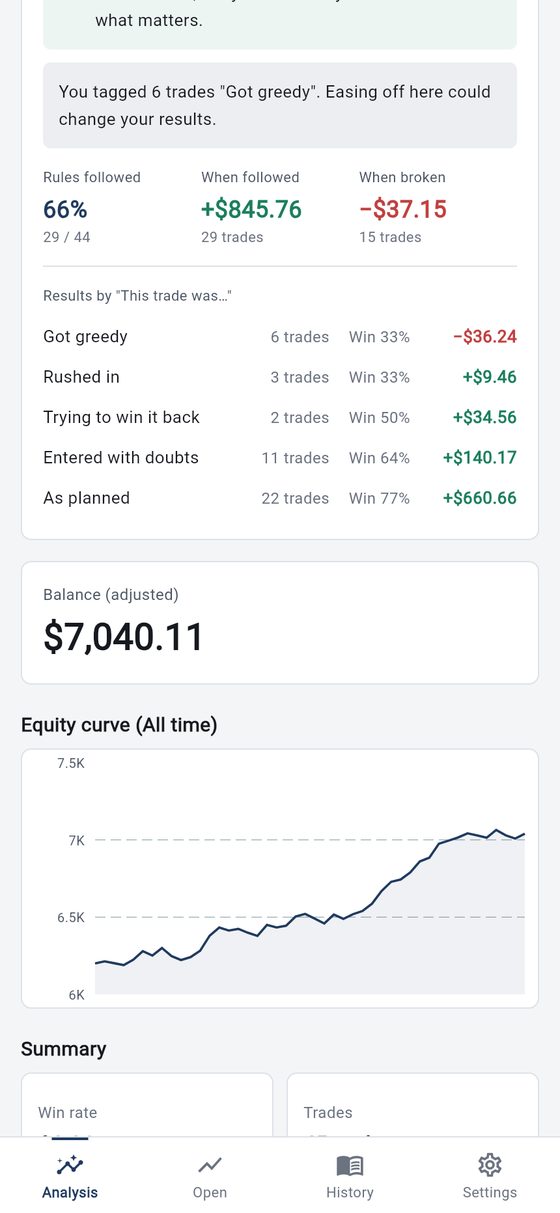
Compare your rule-keeping rate with your results when you followed and when you broke your rules.
- Results for each "This trade was…" option are listed too. If you marked options as "Bad habit" and they come up often, a short line points it out.
- You can choose the tone of that line in Settings: Standard, With numbers, or No amounts.
AnalysisPremium
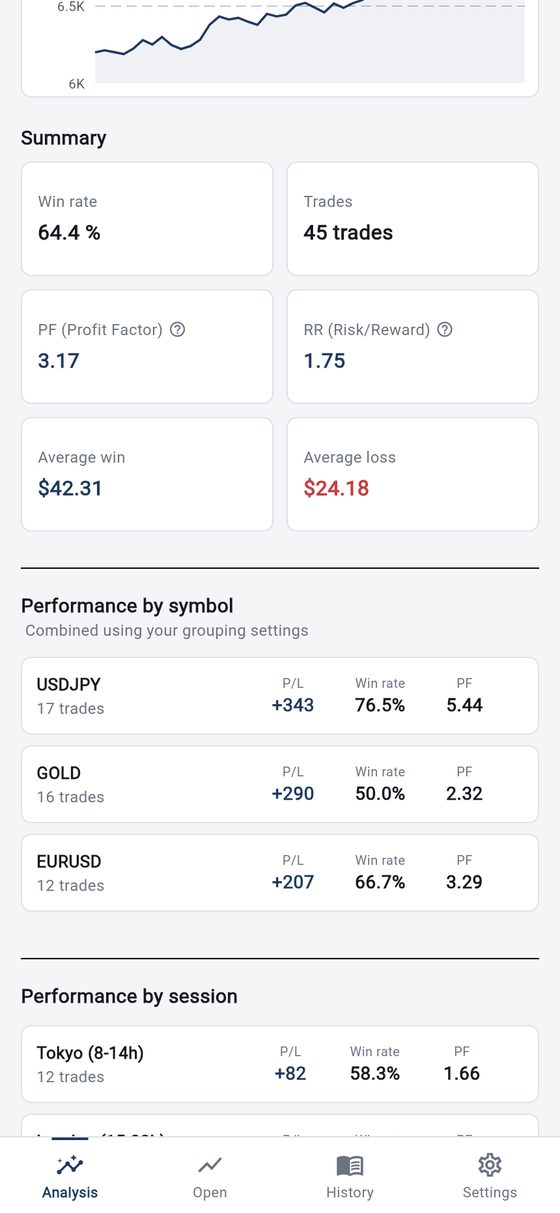
Win rate, PF (total profit ÷ total loss), RR (average win ÷ average loss), and average win and loss are calculated automatically.
- See results by symbol, by session (Tokyo, London, New York), and by strategy.
- Session and strategy breakdowns are included in Premium.
Open
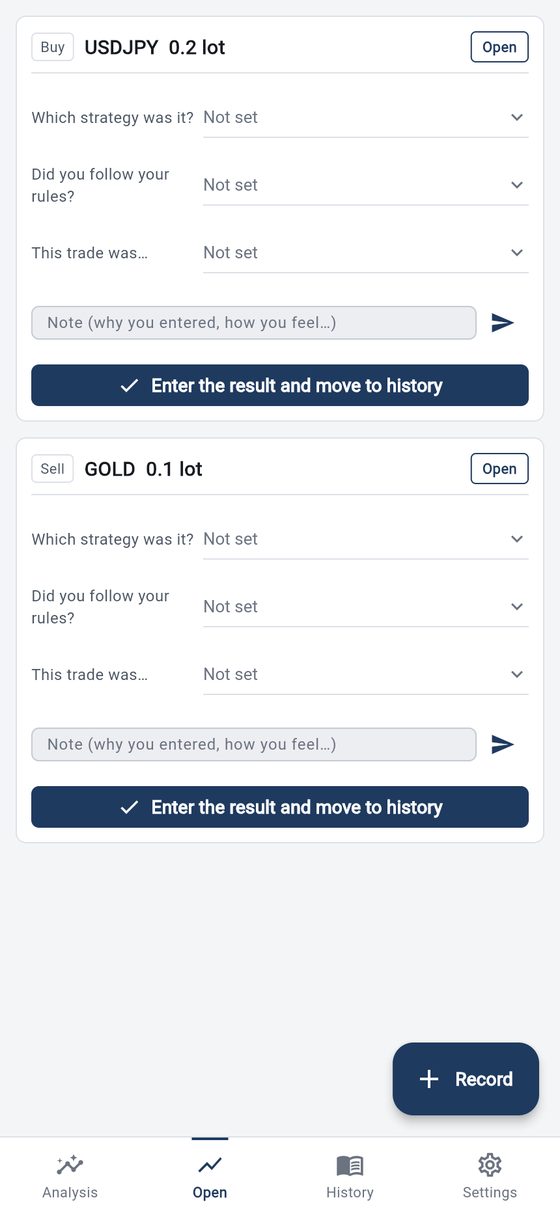
See the positions you hold right now. You can add strategy, rule, mood and a note before you close.
Use "Enter the result and move to history" to add the profit and swap and move it to History. Partial closes are supported too.
History
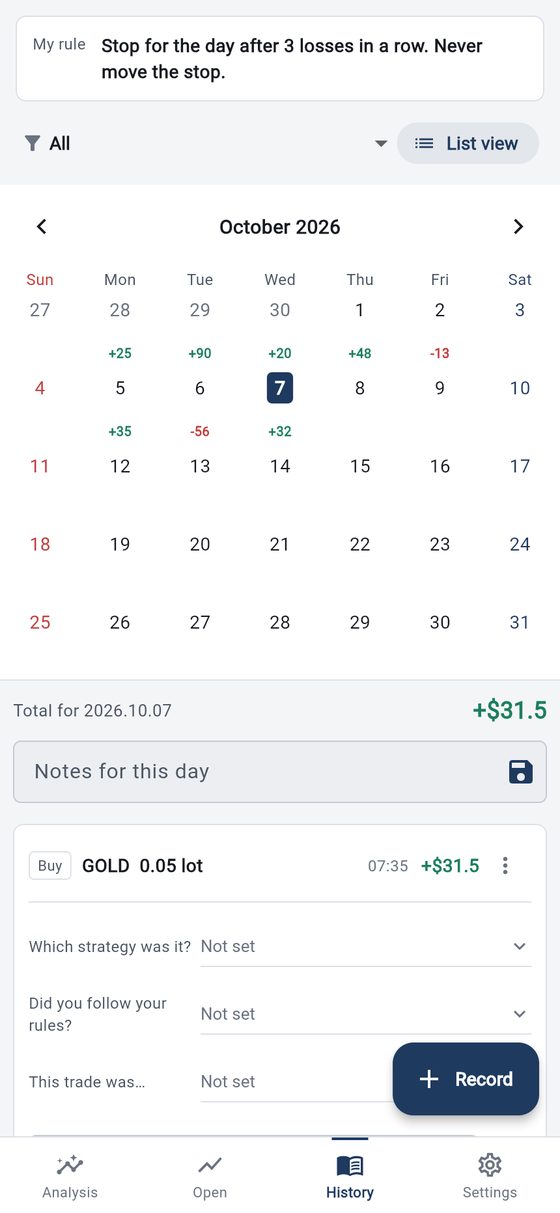
Look back day by day in a list or a calendar.
- Daily profit shows on the calendar, and you can open that day's trades and notes.
- You can edit tags afterwards and write "Notes for this day".
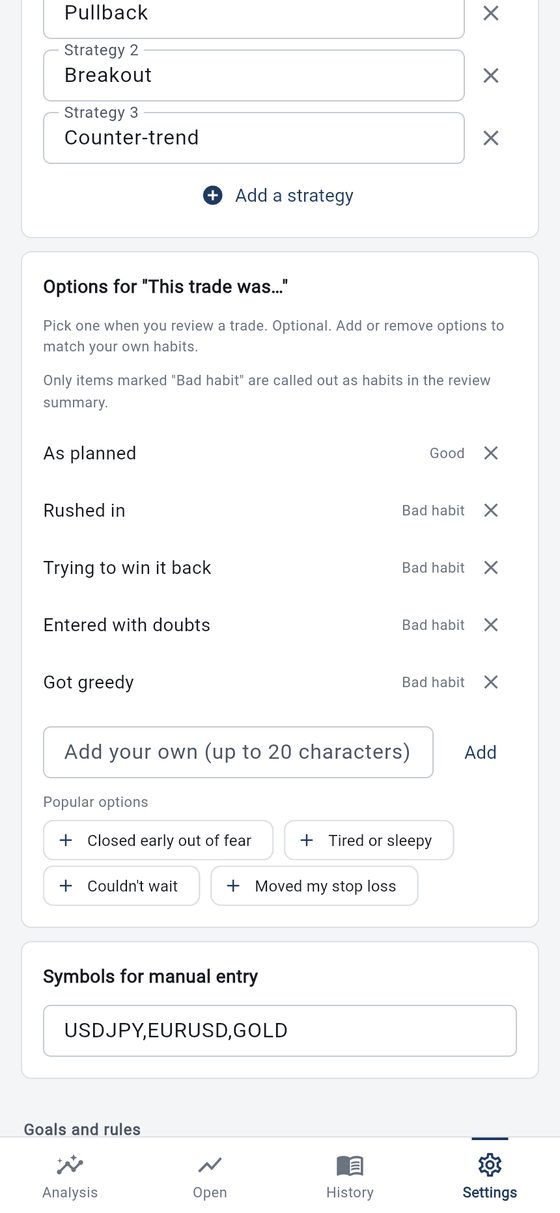
Make your own options
You can add and remove strategies and the options for "This trade was…".
- Only options marked "Bad habit" are called out as habits in the Review line.
- Add popular options with one tap.
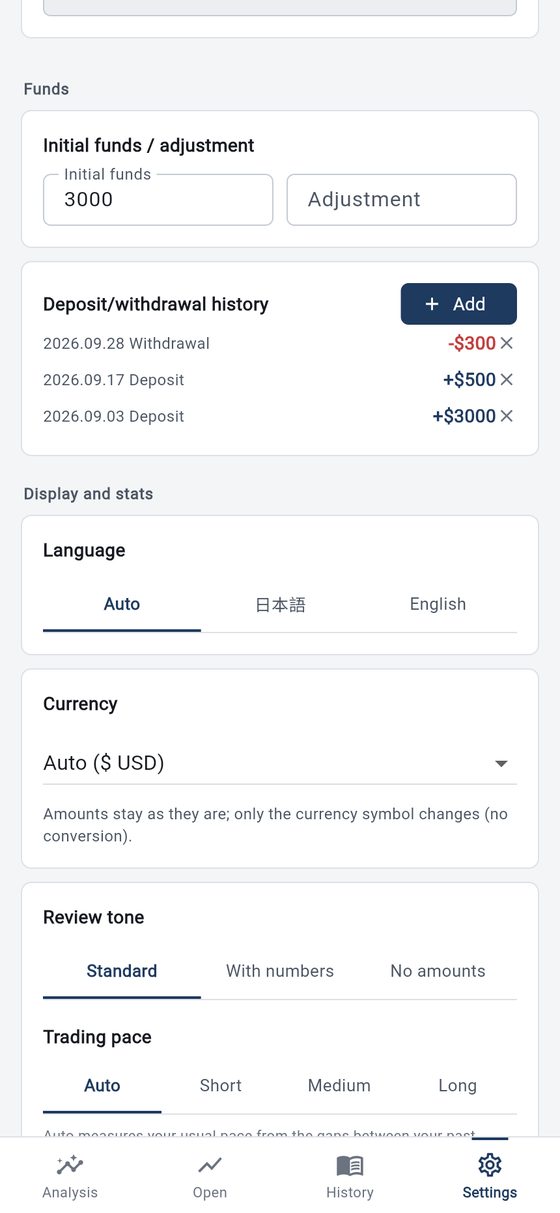
Language, currency, tone
Switch between Japanese and English (Auto follows your device).
- Pick a currency symbol from 18 currencies. Amounts are not converted.
- You can also set market hours, the stats reset date, and whether to show amounts on the calendar.
MT4/MT5 auto syncPremium
Add the sync tool (EA) to your MT4/MT5 and your entries and closes are imported automatically. It needs MT4/MT5 on a computer (Windows) and a one-time setup of about 10 to 15 minutes. It cannot be used with the MT4/MT5 phone app alone. See the setup guide for the steps.
Open the setup guideMore features
Bulk import by CSV
Paste past trades in CSV format in Settings to register them all at once.
Funds and deposits
Record your initial funds and deposits/withdrawals so profit matches the real movement of your money.
Anonymous statistics (optional)
Help improve the service by letting us use your data in a form that cannot identify you. Nothing is used unless you agree, and you can withdraw any time.
Delete your account
Delete it yourself any time in Settings → Account. Your trades, notes and sign-in are removed immediately and cannot be restored.
Plans
For 2 weeks after you start, every analysis feature is free to try. MT4/MT5 auto-recording (the EA) and the loss-limit watch are on the paid plan only, not in the trial.
Free
- Records and analysis for the last 2 weeks
- Review, History and tags
- All-time analysis
- Session and strategy analysis
- MT4/MT5 auto sync
Analysis Premium
- Records and analysis for all time
- Review, History and tags
- Calendar, session and strategy analysis
- MT4/MT5 auto sync
Subscribe or cancel through Google Play subscriptions on Android, or the payment page (Stripe) in the web version. Deleting your account does not stop billing.
Supported platforms
Android app, and the web version (PC and smartphone).
Tiltnote is a tool for recording and analyzing your own trade history. It does not predict future price moves, advise on timing, or provide investment advice. All investment decisions are your own responsibility.